

Computing Update - April
I’m just at the end of school’s April break, and from early April to now I’ve been messing around with hardware and software at home, and I recorded none of it in my handwritten personal journal, so I thought I’d better write something down somewhere, else I will not be able to look back on this month and know what the heck I did. The end of the school year is a mind-erasing blur of responsibilities.
Linux Mint
I bought a new Windows laptop for the same reason a lot of people have bought a new Windows computer: my old laptop, while still in excellent shape, was no longer going to get Windows 10 updates. That’s the perfect time to install a Linux distro and dust off all my Linux references to re-acquaint myself. Since I heavily suspect I will be teaching Cybersecurity again soon, if not next year, it’s nice to have a Linux machine to refresh my memory.
Linux Mint, so far, has been a really easy distribution of Linux to switch to. I decided on Mint because it seemed to have a balance of support, stability, and ease of use. At my age, I don’t have the need to prove anything with my operating system choices. You can always use the command line on nearly any system. But on days you don’t want to, it’s nice to focus on ease of use.
I’m happy to report that the “onboarding” process was as smooth as I’d been led to believe. I was up and running on Mint in less than an hour. Printing to my printer worked on the first try, basically automatically. Mouse, keyboard, headphones… everything just worked. Google Drive, Dropbox, my password manager, remote desktop, and all my development tools. The only thing that didn’t seem to work well with it was my Rabbit r1 (see later section).
Using the laptop to do small development tasks has worked well so far, and it also works fine for anything that is primarily done on web browsers (of course). I’m not qualified to review it vs. other modern distributions, but the software manager on it has been a breeze to use. I don’t think I would have abandoned Microsoft Word for OpenOffice or Libre Office while I was doing my dissertation, but using Google Workspace apps for most of my work since becoming a teacher means I’m not tied much to a platform anymore. And that just makes it easier to go to Linux.
I still have Windows machines here at home and use Windows at school.
Home Server for AI
Speaking of Linux Mint, the ease with which I did the installation on the laptop led me to look for other devices to install Linux on, and an old desktop machine with a decent video card and a ton of RAM was a prime target for a home Linux server for installing local AI models on.
This was a machine that I had had trouble with when it was running Windows; it would just crash randomly. My theory was a memory issue. But before I did the Linux install, I ran hardware checks, and several iterations of memory checks came up clean. The disk checks, on the other hand, did not go well. A 1TB HDD drive was dying (slowly). I’ll replace it, but the SSD in the machine is big enough for now, so I went ahead.
This old CyberpowerPC gaming tower (an i7-7700K with a GTX 1070 and 40GB of RAM, sitting on an MSI B250M Bazooka board) is now a home Linux server running Mint 22 Cinnamon. After a clean install onto a 1TB Samsung SSD, it’s now running a surprisingly capable local AI stack: Ollama serves several open-source LLMs through Open WebUI, giving my whole family a private, self-hosted alternative to ChatGPT, complete with web search1, vision models, and a custom chatbot that speaks like Rocky from Project Hail Mary. I’ve also set up AdGuard Home for network-wide ad blocking, Portainer for container management, and remote access so the whole thing runs headless.
I followed several Network Chuck videos to help learn about installing and using Ollama. The models I installed are of various sizes, some of which fit into the VRAM, so the speed is decent, while others have to use the computer’s RAM.
Ollama is working relatively well, and it is nice to have local AI running off our solar power.
Here are the models I’m messing with:
| Model | Size | Purpose |
|---|---|---|
| gemma4:e4b | 9.6GB | General chat + vision + reasoning |
| gemma4:31b | 19GB | Heavy reasoning/coding |
| qwen2.5:32b | 19GB | Writing |
| qwen3:8b | 5.2GB | Fast general chat |
| rocky | 5.2GB | Project Hail Mary character chatbot |
| deepcoder:14b | 9GB | Reasoning-focused coding |
| qwen2.5-coder:7b | 4.7GB | Code generation |
| llama3.2 | 2GB | Basic chat, largely redundant now (hidden) |
Rabbit r1
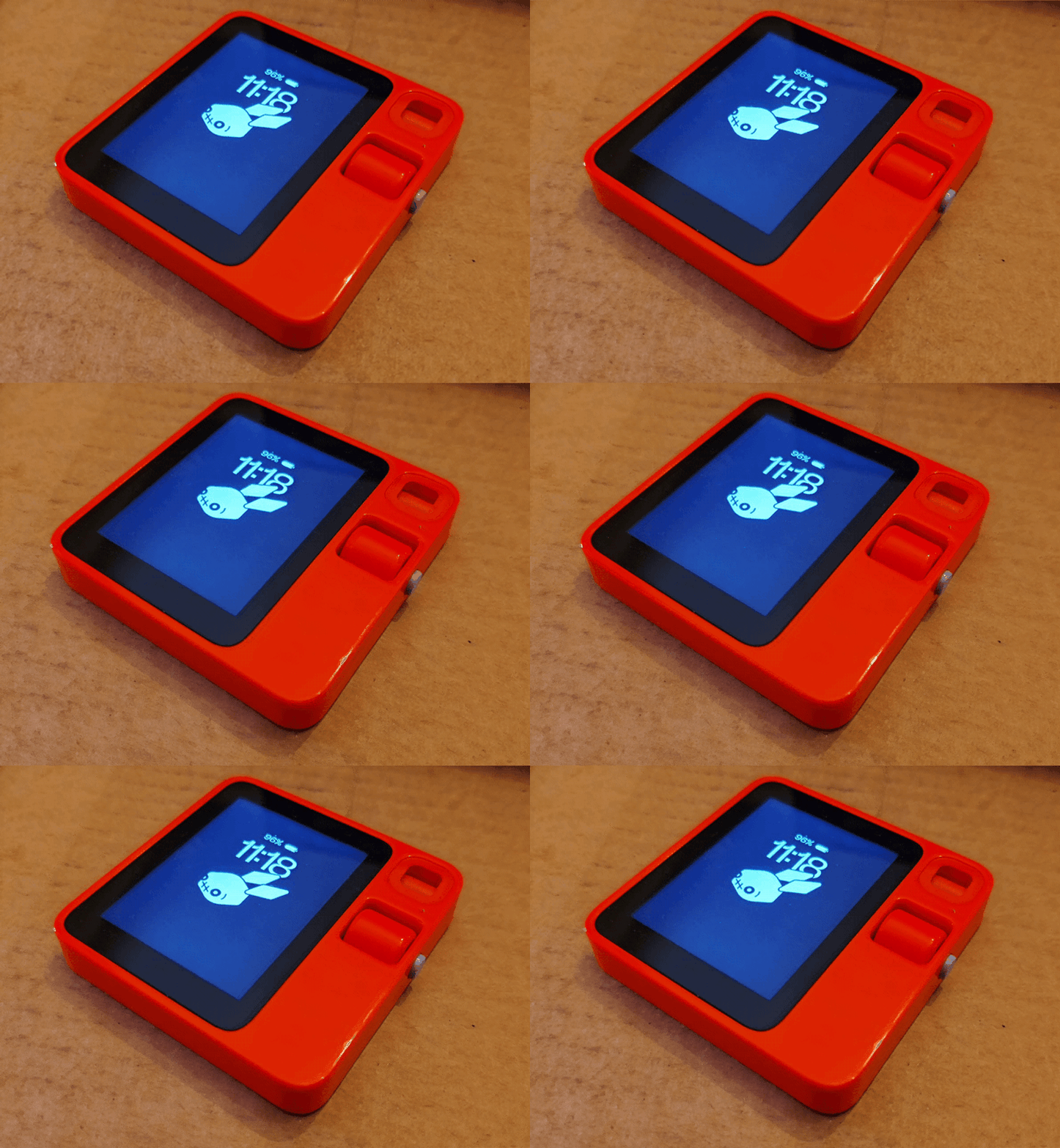
The Rabbit R1 is a standalone (kind of) AI device that is intended to act as an assistant. You can read the messy history of the device.
I wanted to see if its new DLAM feature (essentially a desktop action model) could help me with Linux messing around. The way it works is that you connect the device to your computer and give it access to the screen and microphone. You tell it to do things, it looks at your screen, and then it does the things. It can click drag, type, whatever. Clearly it’s not ideal to do this with a machine that has all your info, so I figured it was perfect to do with a Linux machine that was a brand new install. Unfortunately, it didn’t work. Something about the screen sharing or microphone was a problem.
If you do use an agent like this to take control of your desktop, its recommended that you do it in a sandboxed system, disconnected from your personal info. I did try using the r1 later in a safe environment and I can report that it is SLOW. It works, but it’s really slow. People have reported that it can help with obscure settings, like having a smart but slow IT guy. If you sit there and watch it, you see that it’s taking snapshots and slowly deciding what to do. I can kind of imagine using it to do automated tasks, but there are two problems there:
- It’s so slow that it will put you to sleep.
- What would I want it to do that wouldn’t involve access to my personal data?
For now it’s more of a novelty.
The device will also take audio notes from you. And, honestly, a phone can do that as well. When this first debuted, AI functionality wasn’t embedded into phones. But now I can record myself talking aloud on my phone and later have my phone transcribe and summarize my thoughts. Here’s what it said about my plans for the last 7 or so weeks of Engineering Design class:
- Seven full weeks remain (Apr 28-Jun 18) before early release days begin June 22.
- Sequence: micro:bit basics (1 week) → switch design challenge → LED integration → foam car capstone.
- Switch project uses aluminum foil and cardboard to control micro:bit via pins.
- Final foam car uses micro:bit as brain, with housing for board and batteries.
- Two servo types planned: yellow continuous rotation and blue positional.
- Must implement alternate power and motor driver hardware to protect micro:bits.
It also keeps the recording and sends me the transcript, so I can edit it or have another AI clean it up. Here’s what gemma4:31b (one of my local models) did with the transcript:
You planned out the end-of-year activities for your Engineering Design class, focusing on transitioning students from BBC micro:bit programming to hardware application [1].
Here is a summary of your thoughts for your archives:
Technical Objectives & Concerns
- Goal: Have students apply their programming knowledge to control LED lights and servomotors [1].
- Requirements: You noted the need for external power sources to avoid damaging the micro:bits and the need to identify the correct extensions required to drive the motors [1].
Proposed Project Sequence
- Phase 1: Spend about a week on basic micro:bit programming, ending with a small project to test their skills [1].
- Phase 2: Introduce the micro:bit hardware. Simultaneously, challenge students to engineer a stable switching mechanism using aluminum foil and cardboard to control the micro:bit through the pins [1].
- Phase 3: Develop projects that incorporate LED lights, potentially integrating them with the switches they built [1].
Timeline
- Active Window: You aim to pace these activities between Tuesday, April 28, and Thursday, June 18 [1].
- Available Time: You have approximately seven weeks of full school days, followed by a week of early releases starting Monday, June 22 [1].
It took it a while to do that. Hey, if I want to save energy, that’s the tradeoff, I guess. But, seriously, that’s one of my slower models. Next time for a simple task like this I’ll use a quicker one. I’m still experimenting.

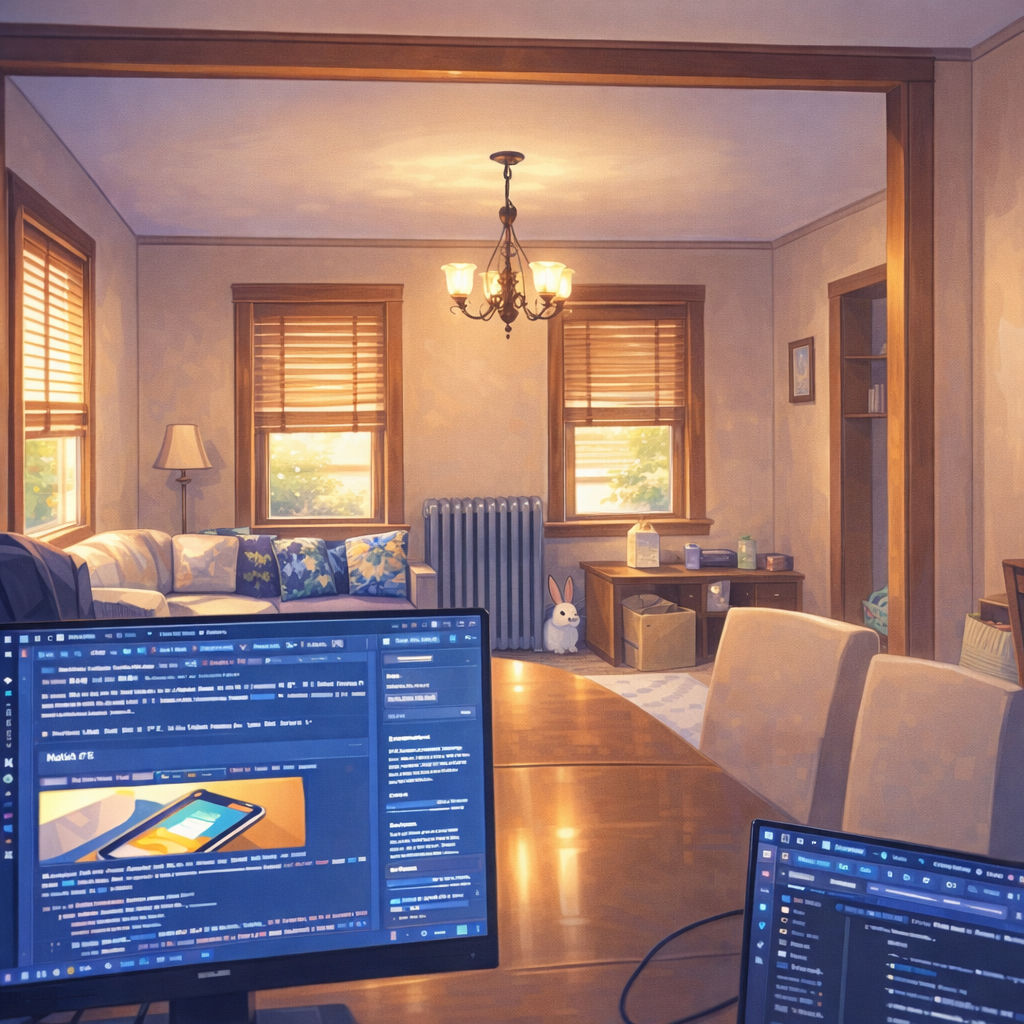

The gallery above is an example of what the r1 does with pictures it can take using the built-in camera. The default functionality is to AI enhance them. Heavily. Cartoonishly. And they always add a rabbit into the photo. These photos of me and the one of the living room have the advantage of being sanitized. (I’ve been working on my laptop in the dining room looking out across to the living room and giving Maggie some space in the office. I started this when I was spreading out doing the taxes).
OpenClaw

There’s a T-shirt/button/sticker slogan out there that reads “I have to say weird stuff or I’ll die.” Sometimes messing around with technology feels like that, especially if your main job is something other than being familiar with the latest technology. It’s my job to teach engineering-related stuff. But tech moves fast. I have to find the time to learn the things that people are talking about. And I heard “OpenClaw” more than a few times, so it was time to try to do something about it.
I’ll try to keep this compact in what is an already really long post. OpenClaw is software that allows you to put a kind of front end onto AI models to make them more than a simple chat. In a reel that went by the other day, I heard Hilary Mason make the point that Chat as an application of LLMs just happened to become the way people view AI because ChatGPT was how OpenAI decided to show off what they had created. And then everyone had to have a ChatGPT clone. But this isn’t the end all and be all of AI technology applications. One of the ways people will begin to use AI is in agents. An agent is like an assistant. You can tell an assistant to take a note for you, retrieve some information for you, check your calendar, remember things about tasks it’s done in the past, periodically do things. In short, it can automate some of the tasks that support the stuff you do.
I set up OpenClaw on a virtual server so it is separated from my machines, and I set it to a couple of tasks. One is to put together a daily news briefing for me, related specifically to my interests (which I taught it by letting it read some of my writing to create a profile of me). I also fed it a bunch of my entertainment preferences so that it could suggest TV and movies.
It’s doing…OK so far. It has secure access to a GitHub repository which is where it pushes out the briefing. The site design was horrible, so I experimented with having Claude Code redesign the site, and then describe the site back to my agent (who I named TARS after the robot in Interstellar). TARS faithfully creates the new briefing a couple of times a day, and sends me a notification through Telegram.
You can communicate with the agent several ways. Telegram is one of them. There’s also a web UI directly allowing you to chat with the bot on your own server. Having multiple sessions can cause some weird “the left hand doesn’t know what the right hand is doing” type stuff, but sometimes it also works in your favor. While doing some messing around I deleted part of TARS memory. It broke the briefing procedure. I could have looked through the memory directly, but (oddly) a second session was able to remember the procedure. The two sessions were using different LLMs, so one had the procedure in its context and the other didn’t. I had the one with the better memory export a file describing exactly what it had learned to do. Then I fed this context into the Telegram session and told it to use the description as backup memory. That solved the problem, and now the agent has a place to go in case it forgets the procedure again.
Working with these tools is different from working with other tools. But they are still just tools.
There are big changes coming in how people do things. There are already big changes in the ways people in tech are doing things. I don’t think that’s a controversial idea. You can hear a lot of people out there making noise about the effects of AI. But we need to use it to understand where it is and where it might be going. I’m going to keep trying to do just that.
-
So, the web search is only partially working. I tried using Brave to do my searching, which will essentially be free for a thousand searches a month. But searches dump text into the context and slow things way down. I haven’t had time to really test it. However, when I have used it with at least one of the models it seemed to go off on its own tangent. That’s a problem for later that I don’t have time to think much about. ↩

Leave a comment